What is ANKR Text?
ANKR Text lets a verified ANKR user text a shared ANKR phone number as an alternative to the web or mobile app — asking about project status, budget, or bills due, and adding tasks or reminders to a project. Only users who have opted in and verified ownership of their phone number can use it.
Opt-in method 1 — Account Settings
After logging into their ANKR account, a user goes to Settings and finds the “Text ANKR” section. They enter their phone number, check a required consent checkbox describing exactly what they're opting into, then tap Send code. This sends a one-time verification code by SMS to confirm the user actually controls that number before it's linked to their account. The checkbox is unchecked by default and Send code stays disabled until the user actively checks it — consent is never pre-selected.
Shown unchecked and disabled exactly as a user sees it — the checkbox is never pre-checked, and “Send code” cannot be pressed until the user checks it themselves.
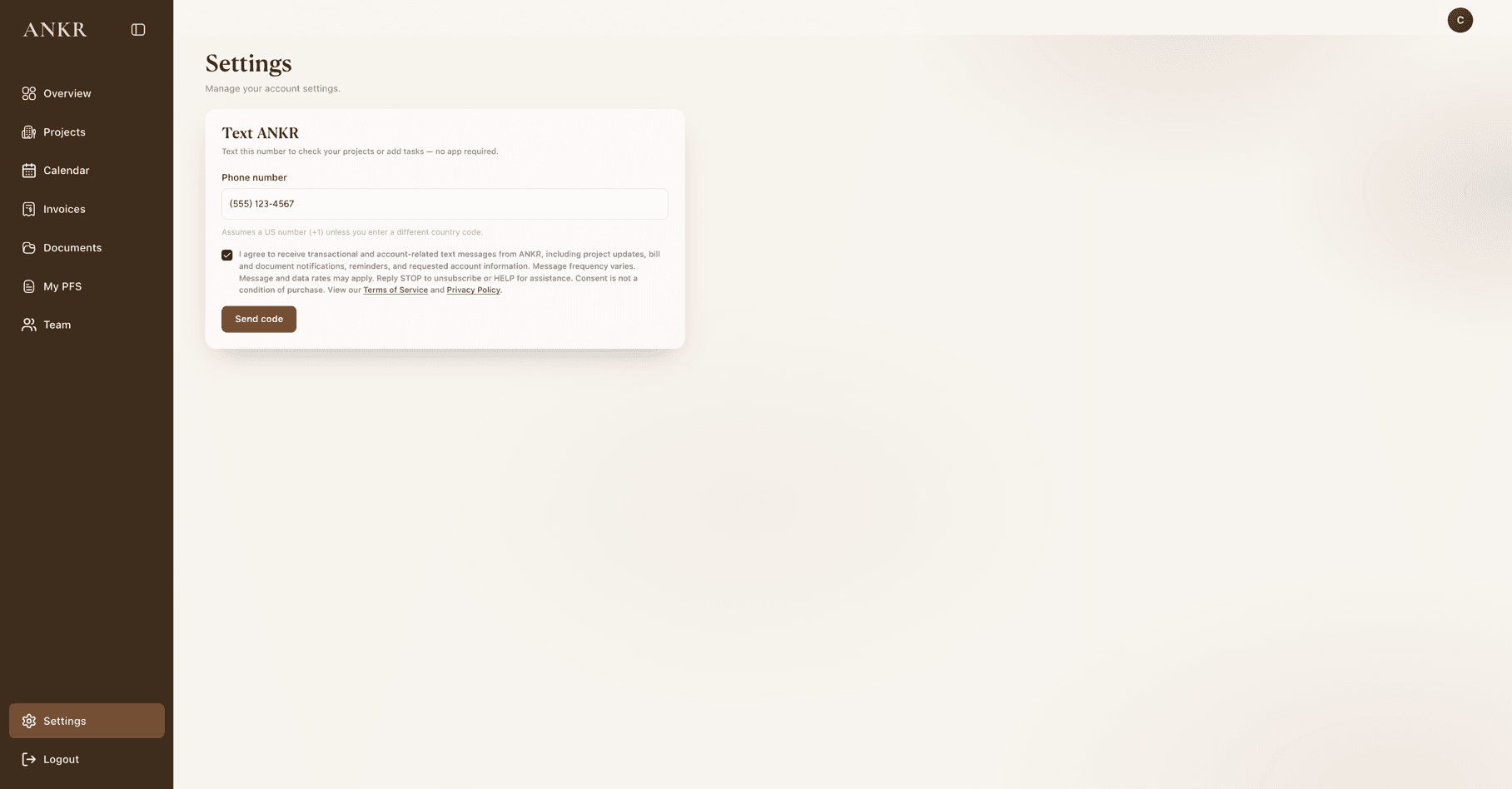
The screenshot above shows the screen after a user has actively checked the box — the replica above it shows the same screen's true default (unchecked) state.
Opt-in method 2 — QR code at onboarding
Right after completing account onboarding, a new user sees a “Set Up Text ANKR” screen with the same required consent checkbox — also unchecked by default. Once the user actively checks it, ANKR generates a one-time QR code tied to that account. Scanning it opens the user's own SMS app, pre-addressed to the ANKR number with a pre-filled message — the user just taps send. Sending that text is what completes verification and links the number to their account. This step is always skippable and can be completed later from Settings instead.
Shown unchecked and disabled exactly as a user sees it — the checkbox is never pre-checked, and “Generate QR code” cannot be pressed until the user checks it themselves.
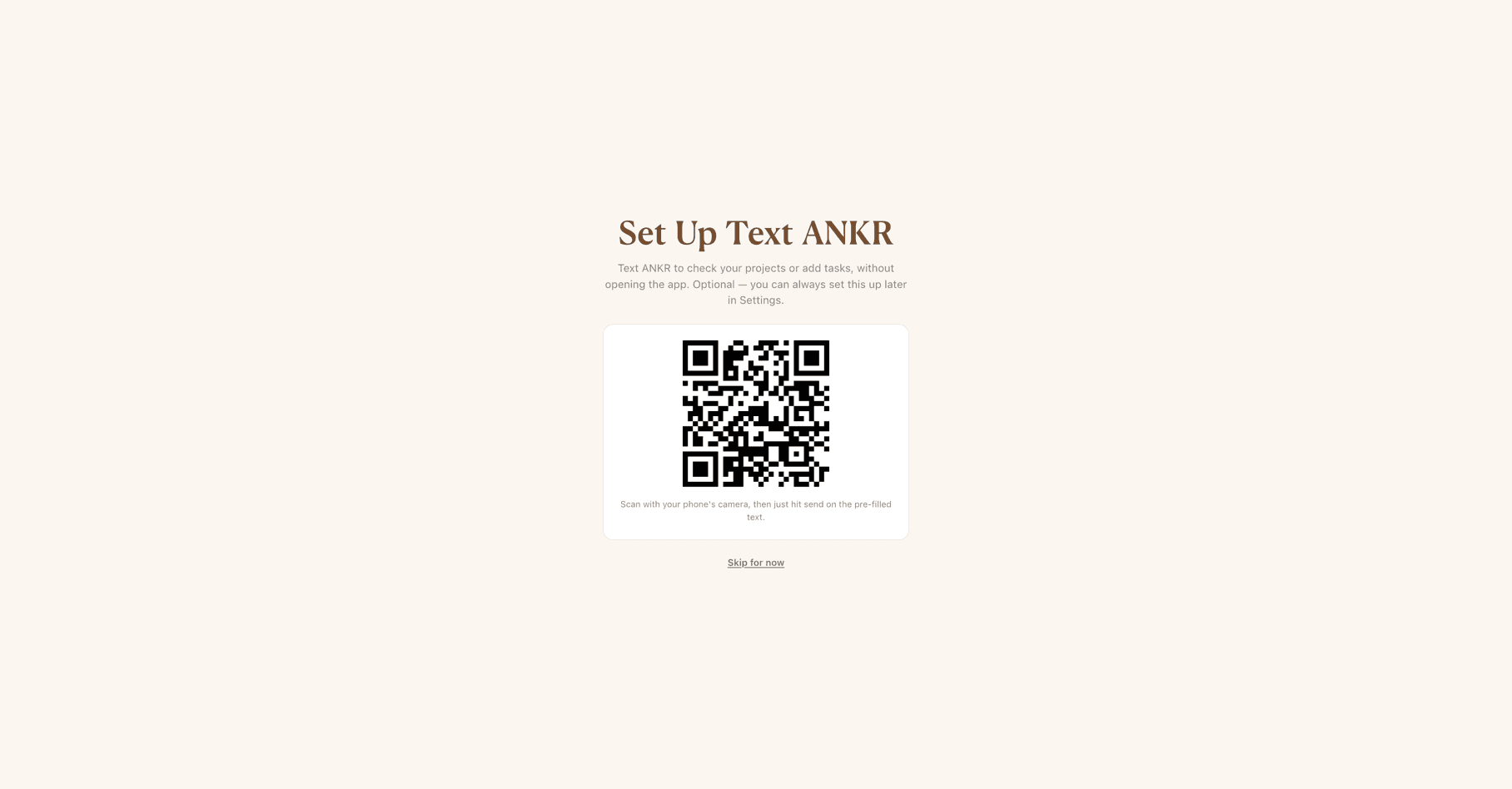
The screenshot above shows the QR code only after the box has been checked — the checkbox itself is no longer shown once the QR code appears, matching the replica above.
Opt-in confirmation message
Once opted in (via either method above), the user receives:
“ANKR: You're opted in to ANKR Text. Ask about your projects or add tasks by texting this number. Msg frequency varies, msg & data rates may apply. Reply HELP for help, STOP to unsubscribe.”
Opting out and getting help
Reply STOP, CANCEL, QUIT, OPTOUT, UNSUBSCRIBE, STOPALL, REVOKE, or END at any time to stop receiving messages from ANKR. Reply HELP or INFO for assistance. Reply START, UNSTOP, or SUBSCRIBE to resubscribe after opting out.
Full policies
See our Terms of Service and Privacy Policy for complete SMS messaging terms. Questions? Contact support@ankrproperties.com.
Web app: https://app.ankrproperties.com